

Your shopping cart is empty!
 Call us: +1-(437)-290-7537
LTO Tape vs Cloud Backup: Which Is Right for Your Business?
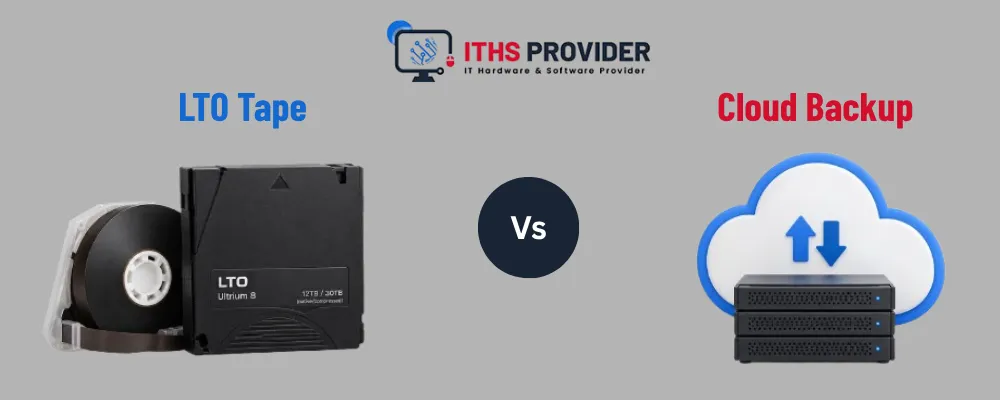
Every business depends on data. Customer records, financial information, project files, emails, databases, and system configurations all support daily operations. If this information is lost through hardware failure, accidental deletion, ransomware, fire, flooding, or a major system error, the resulting disruption can be costly.
A dependable backup plan gives your business a way to restore important data when the original system is unavailable. Two common options are LTO tape and cloud backup. Both can protect business information, but they differ in cost, recovery speed, security, maintenance, and long-term storage.
LTO tape is a removable magnetic storage format designed for high-capacity backup and archiving. Cloud backup copies data to remote infrastructure operated by a service provider. Some businesses choose one method, while others use both as part of a wider backup plan.
This guide from ITHS Provider compares LTO tape and cloud backup to help you choose an approach that fits your data volume, budget, security needs, and recovery requirements.
Table of Contents
What Is LTO Tape?
LTO stands for Linear Tape-Open. It is a standardized magnetic tape format used for backup, archiving, and large-scale data storage.
An LTO system generally includes tape cartridges, a compatible tape drive or library, backup software, and procedures for labeling, storing, and testing media. Unlike disk storage, tape uses sequential access. This means locating an individual file may take longer, but the format provides high capacity and does not require continuous power while stored.
For information about LTO technology, compatibility, and available generations, visit the LTO Program.
Organizations use LTO for server backups, database archives, video and media files, compliance records, research data, and other information that must be retained for a long time but may not need to be accessed every day.
What Is Cloud Backup?
Cloud backup stores a copy of business data in a remote data center managed by a cloud or backup provider. Depending on the service, backups may run continuously, hourly, daily, or according to a customized schedule.
A cloud backup platform may protect servers, workstations, laptops, virtual machines, databases, business applications, cloud services, and remote offices.
The service usually uses backup software, an agent, or an integration to copy data over an internet connection. The provider then stores that data according to the selected retention, encryption, and access policies.
The main advantage of cloud backup is convenience. A business can often begin protecting its systems without purchasing tape drives, maintaining a physical media library, or arranging transportation for cartridges. The trade-off is that cloud backup normally involves recurring charges, and large-scale recovery may depend on internet bandwidth and the provider’s recovery process.
LTO Tape vs Cloud Backup: Key Differences
LTO is often attractive for large archives and offline protection. Cloud backup is often more convenient for automated protection and regular recovery. The right choice depends on the role the backup must perform.
Cost Comparison
The cost of a backup solution includes more than the price of storing data. A realistic comparison should include equipment, software, administration, maintenance, recovery, security, and long-term retention.
LTO Tape Costs
An LTO deployment may require tape drives, automated libraries, backup software, cartridges, cleaning media, maintenance, and compatible infrastructure. Businesses may also need to pay for secure offsite storage, media transportation, labeling, inventory management, and staff time.
After the initial setup, additional cartridges can provide significant storage without adding a monthly subscription. This can make LTO tape backup attractive for organizations with large and predictable data volumes.
There is also a hardware-planning requirement. The business must retain access to compatible drives, backup catalogs, software, encryption keys, and restoration instructions. Without these, an old tape archive may be difficult to use later.
Cloud Backup Costs
Cloud backup normally has a lower initial cost. A business may be able to start protecting its systems after subscribing to a service and installing the required software.
The total cost may include:
- Storage capacity
- Number of protected devices
- Data retention
- Backup software
- Advanced security features
- Data retrieval
- Data-transfer or egress charges
- Support services
- Long-term archive storage
Cloud backup for business can be cost-effective because it reduces the need for physical equipment and media handling. However, the recurring cost may increase as data volumes and retention periods grow.
Which Option Offers Better Value?
LTO may provide better long-term value for large, stable archives that are rarely accessed. Cloud backup may provide better operational value for businesses that need automation, remote protection, and convenient recovery.
The most accurate comparison is a three- to five-year cost analysis that includes hardware, software, storage, maintenance, staff time, offsite protection, recovery charges, internet requirements, media replacement, and security controls.
The lowest storage price is not always the lowest total cost. A backup solution that is difficult to manage or slow to restore may create greater expenses during an actual outage.
Security Comparison
A backup is useful only when it remains available and trustworthy during a failure or security incident. Both LTO and cloud backup can provide strong protection, but their security benefits come from different features.
LTO and Offline Protection
The main security advantage of LTO is that cartridges can be removed from the network and stored offline. Once disconnected, a cartridge cannot normally be accessed by ransomware attacking connected production systems.
This makes LTO suitable for creating an air-gapped backup. An air-gapped copy is isolated from the production network and provides an additional layer of protection if online systems are compromised.
LTO is not secure automatically. Businesses should encrypt sensitive data, limit physical access, use suitable storage conditions, maintain a media inventory, and test restores regularly. Unencrypted cartridges may expose information if they are lost or stolen.
Businesses can review the CISA ransomware guidance for recommendations on reducing ransomware risk and improving recovery readiness.
Cloud Backup Security
Cloud backup services may provide encryption during transfer, encryption at rest, multi-factor authentication, role-based access, version history, monitoring, retention controls, and geographic redundancy.
Many services also offer immutable cloud backup. This feature prevents backup data from being changed or deleted during a defined retention period. It can help protect recovery copies if ransomware or a compromised administrator account attempts to remove them.
Businesses should confirm how these controls work before selecting a provider. Important questions include whether immutability is enabled by default, whether administrators can bypass retention settings, where encryption keys are stored, and how access is restored if an account is compromised.
The NIST Cybersecurity Framework provides a useful structure for organizing cybersecurity activities related to protection, detection, response, and recovery.
Encryption and Key Management
Encryption protects backup data if an LTO cartridge is lost, stolen, or accessed without authorization. It can also protect data while it is being transferred to cloud storage and while it is held by a backup provider.
Encryption must be supported by proper key management. Businesses should determine who controls the keys, where they are stored, how they are backed up, and how access can be recovered if the responsible administrator is unavailable.
Before choosing a backup solution, confirm:
- Whether data is encrypted during transfer
- Whether stored backup data is encrypted
- Who controls the encryption keys
- Whether the provider can access those keys
- How keys are backed up and recovered
- Whether key access is logged and monitored
- What happens to encrypted data if the service is cancelled
The NIST key management guidance provides additional information about protecting and managing encryption keys.
Encrypted LTO cartridges should be handled with the same care as other sensitive business records. If the keys are lost, the backup may become permanently inaccessible, so key recovery should be tested as part of the restoration process.
Which Option Is More Secure?
LTO has a natural advantage for physical offline isolation. Cloud backup may provide stronger automation, visibility, and centralized access controls. The security of either option depends on its configuration and management.
A strong plan usually includes an accessible recovery copy and a separate offline or immutable copy. This reduces the chance that one compromised account, network, facility, or provider will affect every backup.
Recovery Speed and Availability
Recovery requirements should be defined before selecting a backup method.
Cloud backup is usually convenient when restoring individual files, recent documents, workstations, or virtual machines. An administrator can often start a recovery job from a management console without locating a physical cartridge.
Large-scale recovery may take longer if the business has limited internet bandwidth. Some providers offer physical recovery appliances or shipped media, but availability, pricing, and delivery times vary.
LTO recovery does not require an internet connection, which can be valuable when a site has lost connectivity. However, the business needs the correct cartridge, a compatible drive, the backup catalog, and the software required to read the media. If cartridges are stored offsite, transportation may add further delay.
Businesses should document which systems are critical, how quickly they must be restored, and how much data loss is acceptable. The NIST contingency planning guide provides useful guidance for preparing to recover information systems after a disruption.
Cloud backup is often convenient for operational recovery, while LTO is valuable as a separate disaster-recovery and archive copy.
LTO Tape Storage for Long-Term Archives
LTO tape storage is frequently used for information that must be retained for years but does not need constant access. Cartridges do not need continuous electricity, occupy relatively little space, and can be stored away from the production network.
Long-term tape retention requires more than placing cartridges on a shelf. Businesses should maintain appropriate environmental conditions, clear labels, media inventories, backup catalogs, encryption keys, and compatible restoration hardware.
Archived media should be tested periodically. A backup that has never been restored should not be treated as fully verified. Organizations should also plan for hardware and format changes so they can migrate data before older equipment becomes difficult to obtain.
If you're evaluating storage needs, you can review data storage options as part of your broader technology planning.
Cloud archives may provide simpler access, but they depend on an active provider relationship. Over a long retention period, businesses should review subscription costs, data export options, provider policies, account access, and the ability to move data to another service.
The 3-2-1 Backup Strategy
The 3-2-1 backup strategy recommends keeping three copies of important data on two different types of storage, with one copy held offsite.
A business might apply this approach by keeping the original production data, a cloud backup for convenient recovery, and an LTO cartridge stored at a separate location.
This model reduces dependence on a single backup method. If ransomware affects the network, the offline tape may remain available. If a tape drive fails, the cloud copy may support recovery. If the primary site is damaged, the offsite copy may provide a path to restoration.
Some organizations add an offline or immutable copy and require verification that backup jobs complete without errors. The exact design should reflect the company’s recovery objectives, security risks, and regulatory requirements.
When LTO Tape Is a Good Choice
LTO is often suitable for organizations with large data volumes, long retention periods, predictable growth, or a need for offline protection.
It may be a good fit for data-intensive organizations, media and production companies, research institutions, healthcare and financial businesses, organizations with regulatory retention requirements, and companies creating large archives.
LTO may be less suitable when the organization has limited technical staff, a small amount of data, no compatible hardware, or a strong need for immediate self-service recovery.
When Cloud Backup Is a Good Choice
Cloud backup is often suitable for organizations that want centralized, automated protection without managing physical media.
It may be appropriate for small and medium-sized businesses, distributed offices, remote workers, companies with limited IT staff, businesses that need frequent backup schedules, organizations that regularly restore individual files, and companies protecting cloud applications or virtual machines.
Before choosing cloud backup for business, confirm the provider’s retention rules, security features, recovery process, service availability, data location, support options, and total cost as storage increases.
Why a Hybrid Approach May Be Best
Many businesses do not need to choose between LTO and cloud backup. A hybrid strategy can combine fast recovery with long-term offline protection.
For example, a business could use cloud backup to protect recent files and critical systems, then create scheduled LTO copies for long-term retention. The cloud copy can support everyday recovery, while the tape copy provides an isolated option during a ransomware incident or major site failure.
This approach requires clear procedures. The business must know which data is stored in each location, how long it is retained, who can access it, and how each copy will be restored.
Businesses that need help reviewing backup services can explore backup services from ITHS Provider. Organizations can also review IT support options when they need assistance with setup, monitoring, testing, or recovery planning.
How to Choose the Right Backup Approach
Before choosing LTO tape, cloud backup, or both, assess the amount of data you need to protect, how quickly systems must be restored, how much recent data you can afford to lose, and how long records must be retained.
You should also review your internet connection, available IT skills, regulatory requirements, security risks, physical storage options, and three- to five-year budget.
Most importantly, schedule recovery tests. A successful backup job does not prove that the data can be restored. Testing identifies missing files, incorrect credentials, damaged media, incompatible hardware, and incomplete documentation before a real emergency occurs.
If you need help reviewing your infrastructure and backup requirements, contact ITHS Provider before selecting a solution.
Frequently Asked Questions
Final Thoughts
LTO tape and cloud backup provide different strengths. LTO offers high-capacity offline storage and can be economical for long-term archives. Cloud backup provides automation, remote access, flexible expansion, and convenient recovery. The right decision depends on your data volume, recovery targets, security requirements, retention obligations, and available resources.
For many businesses, the strongest approach is a combination of both. Cloud backup can support fast operational recovery, while LTO can provide an offline copy for long-term retention and protection against attacks that reach connected systems.
The goal is not simply to store another copy of your data. It is to create a backup and disaster recovery process that your business can depend on when normal systems are unavailable.
Need Help Choosing a Backup Solution?ITHS Provider can help you plan and manage reliable backup and data protection solutions for your business. |
-160x160.webp)
Leave a Reply
Your email address cannot be published. Required fields are marked*


Information
Customer Service
My Account
©2026 ITHS Provider (A Project of Mehta Corp.) - All Rights Reserved.

No comments